For Investors
You write cheques. The work before each one is the same. Find the projects that fit the mandate, reach the person who decides, and open warm instead of cold.
NAUT does the first two in a few clicks. It does the third one for you.
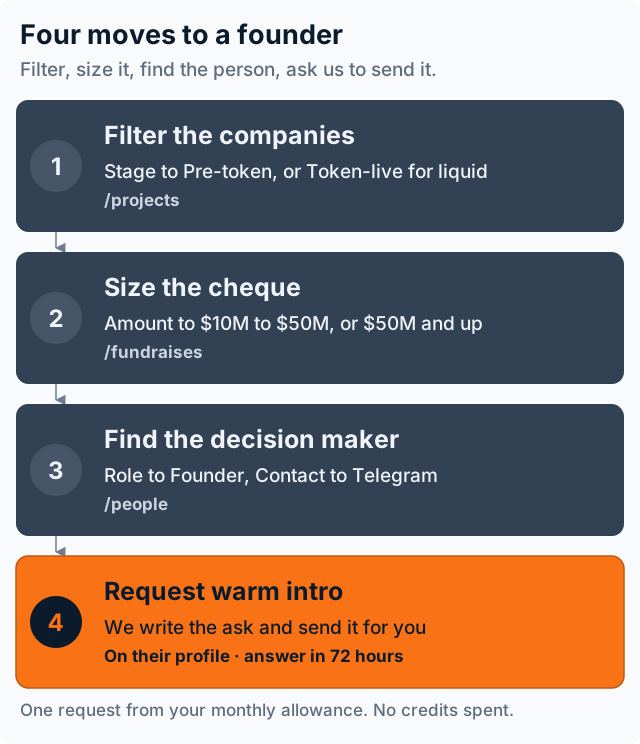
Four moves. Each one is a real control on the page it names.
1. Filter the companies
Open Companies. Filters sit on the left. The sort sits above the results.
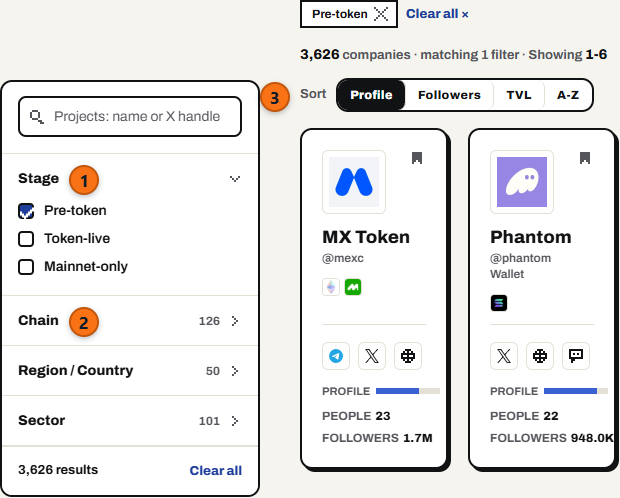
1 Stage. 2 Chain, Region and Sector. 3 Sort. The number beside a filter is how deep that pocket is.
| Filter | What to set |
|---|---|
| Stage | Pre-token before a launch. Token-live for a liquid position. Mainnet-only for teams shipping without a token. |
| Sector | The theses you actually fund. |
| Chain | Where the team builds. |
| Region / Country | A regional mandate, or when you need to be in the room. |
The sort decides what the list is for:
- TVL is money already in the protocol. The fastest read on traction.
- Followers is attention. A rough guide to how contested a round will be.
- Profile is how complete the record is. Use it when you want contact routes, not a league table.
Every filter lands in the URL. A search you like is a link you can bookmark or send a partner:
- Pre-token pipeline:
naut.so/projects?stage=pre_token - Liquid, by traction:
naut.so/projects?stage=token_live&sort=tvl
2. Size the cheque
A company page tells you who. Fundraises tells you how much, and when. That is what decides whether your size fits.
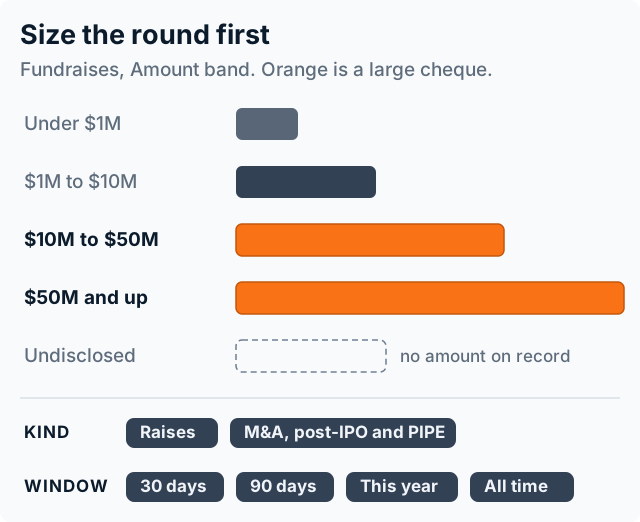
Tick the bands your cheque fits. Kind splits raises from secondary. Window sets how far back you look.
Read the feed both ways:
- A team that closed $40M last month is not taking your money. Its cap table still tells you who writes at that size.
- A strong team whose last round was small, 18 months ago, is the one to reach this week.
3. Find the decision maker
Two routes. Both land on the same profile.
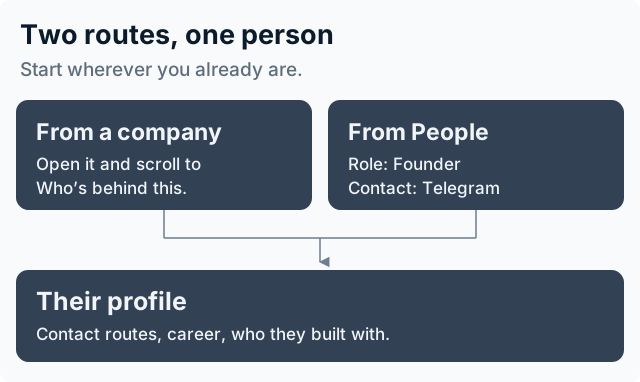
From a company, scroll to Who's behind this. From People, set Role and Contact.
Contact: Telegram is the filter that saves you time. We send warm intros over Telegram, so the request button only appears on people who have one on file. Filter on it and every name you see can be asked.
Shortcut: naut.so/people?roles=founder&channels=telegram
4. Request the warm intro
Open their profile. Press Request warm intro, in the panel beside their contact details.
You do not need to unlock them first. The point is that you are not the one sending the first message.
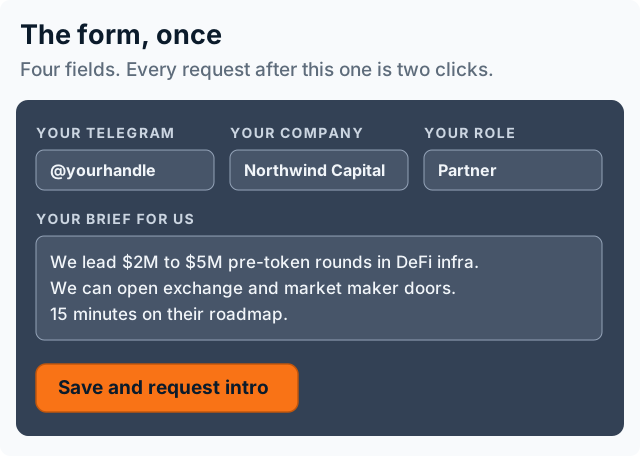
Asked once, then saved. Every request after the first is two clicks.
Brief us the way you would brief a colleague about to call on your behalf. Give the cheque size, the stage you come in at, and what you bring besides money.
| Write this | Not this |
|---|---|
| "We lead $2M to $5M pre-token rounds in DeFi infra. We open exchange and market maker doors." | "Interested in learning more" |
| "We hold a position. We want to understand their unlock schedule before we add to it." | "Would love to connect" |
| A size, a stage, a specific question | A pitch |
What happens after you press it
A person at Mesa writes to them and says who you are and why. No template with your name pasted in.
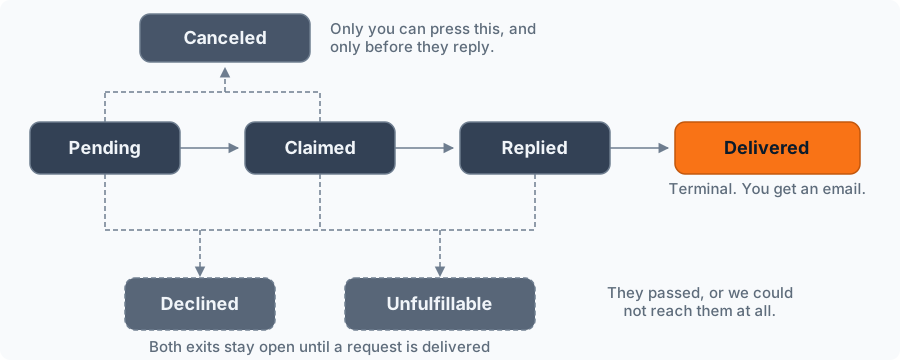
One step at a time. Delivered is the end of the happy path, and it emails you.
Watch it move on Concierge. It starts at Pending, turns Claimed when someone at Mesa picks it up, Replied when they answer, and Delivered when the introduction is made.
You get an answer within 72 hours, yes or no.
Only a delivered intro spends a slot. A no, a dead end, a cancel, or silence past the clock all hand the slot straight back.
Concierge has the full detail: every state, what it means, and when you can cancel.
What you get each month
| Plan | Warm intro requests / month |
|---|---|
| Free | 0 |
| Essential | 30 |
| Pro | 60 |
| Team | 250 |
| Enterprise | Unlimited |
Allowances refresh monthly and do not roll over. They never touch your credit balance. Run out mid-month on a paid plan and the page offers more at a fixed price per intro.
Keep the shortlist live
- Pin the names you track to a Watchlist. A team move or a new round is a reason to reach out again, or to re-price.
- Check Pulse and Catalysts for movement on those names.
- Run Fundraises on a 30 day window once a week. It is the cheapest way to see who just entered your size bracket.
Before you spend one
Check whether your own network already reaches them. A career timeline showing a former colleague or a shared backer beats anything we can send, and it is free. Finding Warm Paths covers how to spot one.
Use an intro where there is no path and the reply matters.